Home / Fire Stick
Device recipe
How to set up a Fire Stick: the 10-minute recipe
Everything you need, laid out before you start, then six simple steps.
Prep time10 minDifficultyEasyServes1 TV
The short version
Connect the Fire Stick to HDMI and power, select its input, pair the remote, join Wi-Fi and install the apps you use.
The recipe
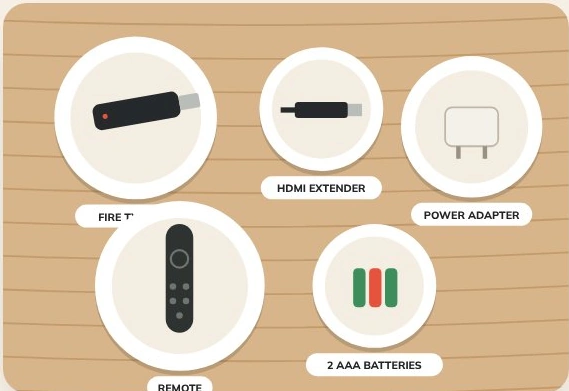
Ingredients
Method
Plug the stick into HDMI
Note the number beside the socket.
Plug in the power
Use the supplied wall adapter.
Select the input
Use the TV remote to select the matching HDMI input.
Pair the remote
Insert batteries and follow the on-screen pairing prompt.
Join Wi-Fi and sign in
Connect to your home network and use your own account.
Install your apps
Choose the official listing in the device’s app store.
Chef’s note · If the stick feels loose behind the TV, use the supplied HDMI extender.
Kitchen questions
What should I try first?
Start with the ingredients for your device. Note the original settings so you can undo one change at a time.
Where should I download apps?
Use the store on your device and check the publisher before installing.